
Starting Your Device
- Connect Power: Use a Micro USB cable to power your SeedSigner
- Wait for Boot: Wait for few seconds for the complete boot sequence
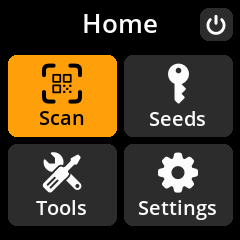
- Dismiss Initial Notification: Press any key (A, B, or C) to dismiss the “You can remove the SD card now” message
💡 Pro Tip: Once the operating system loads into RAM, you can safely remove the SD card. This ensures that seed phrases cannot be accidentally stored on the device, maintaining air-gapped security.