
Generate compact QR code backups of your seed phrase for convenient storage and recovery.
Complete Step-by-Step Process with All Screenshots
- Navigate:
Home → Seeds → [Select Seed] → Backup Seed → View Seed Words


- Choose Format:
- “Standard: 25×25” – Larger, easier to scan
- “Compact: 21×21” – Smaller, requires more precise scanning

- Acknowledge Warning: Confirm that you understand SeedQR contains your complete private key

- Review Complete QR: View the full QR code, then select “Begin” to examine zoomed sections

- Navigate All Sections: Use the joystick to review every part of the QR code for accuracy

- Complete Review: Press any key to proceed. You’ll see two options:
- “Confirm SeedQR” – Verify the generated QR code is correct
- “Done” – Return to Seeds main screen

If you select “Confirm SeedQR”:
- The device camera will open to scan the transcribed QR code
- Show the transcribed QR image to the camera for verification
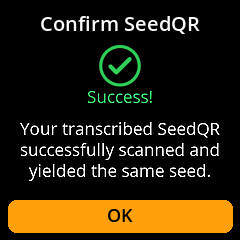
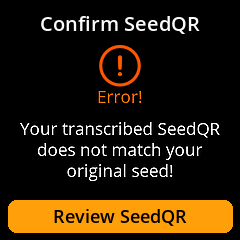
- The system will confirm whether the correct image was captured


Failure Message:

If you select “Done”:
- You’ll be redirected back to the Seeds main screen

⚠️ Security Equivalent: SeedQR codes are functionally equivalent to your written seed backup. Store them with the same security measures – in fireproof safes, safety deposit boxes, or other secure locations.