
Quickly and securely load seeds from SeedQR codes – a compact QR code format specifically designed for seed phrases.
Complete Step-by-Step Process with All Screenshots
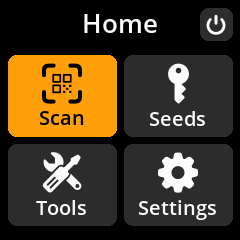
- Navigate: Main Menu → Scan
- Position QR Code: Point the camera at your SeedQR code
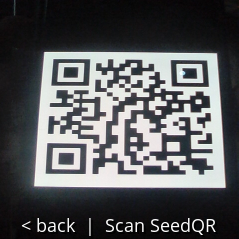
- Wait for Recognition: The device will automatically detect and process valid SeedQR codes
- Review Details: Check the seed information on the “Finalize Seed” screen

- Handle Errors: If you see “Unknown QR Type”, the QR code format isn’t recognized
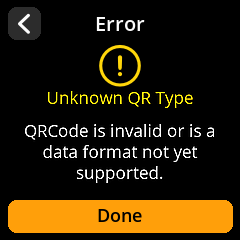
- Complete Loading: Select “Done” to load the seed
❌ Troubleshooting: If you see “Unknown QR Type”, the QR code format isn’t recognized as a valid SeedQR. Press “Done” to return to scanning mode and verify you’re using a properly formatted SeedQR code.